%201.svg)

Top Tips for Looking Confident in an AI Video Interview


Video and AI-assisted interviews are now mainstream as employers use virtual interviews for speed and scale - and many include AI screening, especially in early stages.
Recruiters and hiring teams are lean; tech picks up volume work so humans can focus on the final decisions.
If you don’t appear confident on camera, you risk being filtered out early as remote and AI-assisted interviewing continues to be a foundational part of hiring flows.
Studies and surveys consistently find high levels of anxiety related to interviews, and virtual formats introduce new stressors (tech glitches, unnatural feeling of “talking to a screen” alongside others) that affect performance.
Addressing those specific stressors raises your chances of appearing composed and competent.
If you want a safe, judgement-free space to practice these skills, SpectraSeek’s AI mock interviews are a great starting point - they simulate real interviewer pressure without the stakes.
Before the interview: set the stage for confidence
1. Prep like you mean it
- Know two stories for every competency: one quick success (30–60s), one recovery/learning story (45–90s). Practice out loud. We’ve even covered the science behind it in our article on why practicing out loud is 10x more effective than Googling interview questions.
- Script key lines - the one-line opener, the brief closing (“I’d love to do this next step”). Don’t memorize word-for-word; memorize beats.
- Run the platform - asynchronous interviews (recorded answers) behave differently than live. Practice on a similar platform if possible. Studies show candidates often present themselves less naturally in asynchronous interviews than in live ones, mainly due to the lack of real-time feedback. Practicing on similar platforms helps close that confidence and delivery gap.
If you’re wondering whether AI interview practice is worth integrating into your prep, our guide on why AI interview prep is the future of job readiness breaks it down clearly.
2. Tech checklist (2–3 minutes, immediate confidence payoff)
- Camera: clean the lens. Set camera at eye level (stack books or use a stand).
- Audio: test with headphones; if you can’t, move closer to the mic and eliminate noise.
- Internet: Ensure that you’ve a stable internet connection. Fix any issues beforehand.
- Backup plan: have your phone ready with the meeting link or recruiter phone number.
On camera: tiny adjustments, big confidence gains
3. The framing rule - chest up, headroom tiny
Frame yourself from mid-chest up. Leave a little space above your head but not a lot. You want to feel anchored in the frame. Too much headroom or being too far away makes you look smaller - literally. People read that as less confident.
4. Eye contact that translates
Eye contact still matters, but video interviews change how it works. Looking at the person on your screen is not the same as looking at the camera. To appear attentive and confident:
Keep your primary focus on the screen so you stay responsive to the interviewer’s expressions, and briefly shift your gaze to the camera when delivering key moments - introductions, conclusions, or important impact statements.
Studies show impaired eye contact in video can lower perceived interview ratings; deliberately alternating helps.
5. Use vocal variety
Monotone = forgettable. Add small pitch changes, brief pauses, and emphasis on the one or two words you want to land. Think of your answer as a short narrative with a setup, a pivot, and a payoff. Pause slightly before the payoff to increase impact.
If you tend to freeze or rush, this piece on turning awkward pauses into confident answers breaks down how AI-led practice helps retrain your pacing.
Visuals: light, background, and clothing that read well on camera
6. Lighting: face-first, soft, flattering
- Natural light from the front is best. If unavailable, put a soft lamp behind the camera (diffused).
- Avoid backlight; it creates silhouettes. Good lighting increases perceived trustworthiness and clarity, both of which make you look confident.
7. Background: simple, personal, non-distracting
A tidy bookshelf, a plain wall with one framed picture, or a plant works. Virtual backgrounds can be OK if they look natural, but they sometimes glitch and distract. When in doubt: keep it real and uncluttered.
8. Wardrobe: texture > pattern
Wear solids or subtle textures. Busy patterns and tiny checks flicker on camera. Choose colors that contrast with your background and flatter your skin tone. Grooming matters: hair away from the face, sleeves neat.
Performance tips: how to speak, pause, and humanize
9. Start strong
First 20 seconds matter. Open with a short hook: your job title + one-line value prop, or a crisp reason you’re excited about the role. Example: “I’m Sydney - product manager with five years shipping AI-native mobile features; I led the payments onboarding that boosted retention 12%.” Short. Specific. Confident.
If you’re curious how AI interprets your delivery behind the scenes, this walkthrough on conversation intelligence and decision-making offers a great primer.
10. Use the “3-beat answer” for behavioral questions
- Situation (15–30s)
- Action (30–60s)
- Outcome + learning (15–30s)
This keeps answers tight and highlights impact.
11. Handle pauses and latency like a pro
If silence or lag happens, smile and say, “I think the connection dropped - I’ll repeat that briefly.” Short, composed, and proactive.
12. Mirror their energy
Match interviewer formality and pace. If they’re calm and conversational, soften. If they’re brisk, tighten your responses. Mirroring builds rapport, even over video.
Special tip: asynchronous AI interviews (pre-recorded prompts)
- Treat them like recorded podcasts - you can re-record (if allowed), so craft each take.
- Use notes - Keep a cheat-sheet of figures and one-line stories off-camera. An occasional glance is fine, interviewers can’t tell. Reading full sentences, however, tends to flatten your delivery. Use notes as prompts, not scripts. Natural beats win over robotic accuracy.
- Practice to camera - Practice to camera, especially for your opening and closing lines. Familiarity with speaking to a lens reduces hesitation, awkward pauses, and uneven delivery, leading to more consistent performance across recorded responses.
For an even deeper understanding of non-verbal signals, our breakdown of 5 candidate behaviors AI flags but humans overlook shows what modern systems actually pick up on.
What to avoid (quick list)
- Looking down at notes the whole time.
- Wearing flashy prints that strobe on camera.
- Overusing filler words (“um,” “like”) — if you notice a pattern, record yourself and trim during practice.
- Skipping a mic/camera test. That small step eliminates avoidable stress.
Closing: the confidence checklist (one-minute review before join)
- Camera at eye level ✔
- Face is well lit ✔
- Background tidy ✔
- Two stories per core competency ready ✔
- 2–3 minute tech test done ✔
- Water nearby, phone silent ✔
Breathe. Smile. Join.
FAQ - the basics
Q: How close should I sit to the camera?
A: Mid-chest to head - close enough to see gestures, far enough to not dominate the frame (roughly an arm’s length).
Q: Is it better to look at the interviewer on screen or the camera?
A:.Keep your main focus on the interviewer’s face on screen so you stay engaged and responsive. Briefly look into the camera during key moments like introductions, conclusions, or important impact statements. That balance reads as confident and natural.
Q: What if my internet lags during a live interview?
A: Stay calm. Let the interviewer know if audio cuts. If the platform allows, reconnect. Most recruiters expect occasional glitches - composure matters more than perfection.
Q: Do AI-assessed interviews judge my facial expressions?
A: Some systems analyze facial and vocal cues; others focus on language and timing. It varies by provider and region. Aim for natural expression and clear speech. Reports show growing use of AI in early-stage screening - prepare accordingly.
Q: Can I use notes?
A: Usually, yes - as discreet bullet points off-camera. Don’t read long blocks; it breaks flow and eye contact.
Q: What’s the most effective tool for me to prep for interviews?
A: We recommend SpectraSeek - an AI-powered interview practice platform designed specifically for students and job seekers. It simulates real interview environments, gives you instant, actionable feedback, and helps you build confidence through repeated, structured practice. SpectraSeek helps you understand how you sound, how you come across, and what to improve… all before the real interview happens.
You might also like


Think about all the critical interviews your company conducts in a week. Screening calls with candidates, in-depth user research sessions, customer feedback interviews, and candid exit interviews with departing employees.
Each one is a goldmine of information.
A critical insight from a frustrated user, a brilliant product idea from a new hire, or a recurring complaint that signals a market shift.
Now, where do all those insights go?
If you’re like most companies, they disappear. They’re trapped in scattered notes, siloed in department-specific software, or lost entirely the moment the interview ends.
Your company's collective intelligence is unstructured, unsearchable, and untapped. It's dark data.
It’s time to stop treating interviews as fleeting moments and start treating them as your most valuable data asset with Spectra.
From Unstructured Voice to Searchable Data
For years, the first step in conversational intelligence was transcription. Turning voice into text was a giant leap forward, but it's no longer enough.
A folder full of transcripts is a slightly more organized version of the original problem. You still can't query it at scale.
You can't ask: "Show me every time a user mentioned a competitor in an interview this quarter."
The real breakthrough comes when you structure the context within the interview. This is where Spectra's AI agents come in.
AI agents don't just hear words; they understand the meaning behind them. They perform advanced voice data structuring during every interview, automatically tagging conversations with rich metadata:
- Entities: People, products, companies, and locations mentioned.
- Topics: Key themes discussed, like "pricing," "onboarding," or "customer support."
- Sentiment & Tone: The emotional undertone of the conversation—is the customer happy, frustrated, hesitant?
- Events: Key moments, like action items, decisions, or follow-ups.
With structured data like this, a 30-minute interview becomes a structured, queryable data object. In addition to being used by the business teams, the data can also be used to train the model and agents further, improving their capabilities and leading to a continuously improving experience.
Building Your Single Source of Truth: The Spectra Knowledge Graph
When you consistently capture and review conversations using Spectra, you're not just documenting interviews—you’re creating a rich repository of insights that can power smarter decisions across your organization.
Think of it as the first step toward building your own Interview Knowledge Graph: a connected, searchable ecosystem of qualitative data.
Each conversation recorded through Spectra becomes a data point, tied to topics, people, and sentiment. Once exported, this structured data can be fed into your existing BI tools, data warehouses, or CRM systems to create a dynamic knowledge base.
How Businesses Use Their Knowledge Graph with Spectra
By integrating Spectra’s outputs into their analytics workflows, organizations can surface cross-functional insights that were previously buried in transcripts.
- For Product Teams: Analyze user feedback to track feature mentions and sentiment trends across time.
- For HR & Talent: Investigate patterns in exit interviews or performance conversations by asking, “What themes are common among top-performing employees who left voluntarily?”
- For Market Researchers: Run large-scale customer interviews with Spectra, then use your tools to group insights and identify emerging themes—faster and at scale.
- For Sales Teams: Identify sales enablement opportunities by reviewing instances where key objections came up and tracking changes in rep confidence.
Best of all, this structured data isn't locked away. With Spectra's data extraction capabilities, it can be easily exported as a configurable JSON file and piped directly into your BI tools, data warehouses, or CRM, integrating the qualitative "why" with your quantitative "what."
Your First Steps to Building an Interview Hub
The idea of building a comprehensive knowledge graph can feel daunting, but it doesn’t have to be.
Here’s a practical way to begin.
- Start with One High-Value Interview Type: Select one area where insights are consistently lost. Is it user research interviews? Candidate screening calls? Start there. This focus enables you to demonstrate value quickly in a controlled environment.
- Define Your Key Questions: Before conducting the first interview with Spectra, ask your team: "What are the 3-5 critical insights we need to track?" These could be competitor mentions for a product team or reasons for leaving for an HR team. This defines the initial structure of your data.
- Pilot with a Single Team: Empower one team to be your champion. Let them use Spectra to build their mini-knowledge hub. As they start sharing powerful, data-backed insights they couldn't access before, other departments will naturally want to follow suit.
Building an interview hub is an iterative process. Start small, show value, and scale from there.
From Interviews to Intelligence
Building an interview hub transforms isolated conversations into your company's most valuable, searchable asset.
By structuring interview data with AI agents, you move from simply listening to actively learning. Every conversation makes your organization smarter, shaping product roadmaps with direct user feedback and informing talent strategies with real-time sentiment.
The most innovative companies don't just listen—they learn. Are you ready to unlock the data hidden in your conversations?
Hiring has always been a balancing act. Move too fast, and you risk costly mistakes. Take too long, and top candidates slip away. For years, recruitment meant choosing between speed and quality.
But today’s hiring landscape moves faster than ever. Top talent can accept another offer within days, and expectations for a smooth, fair process are higher than ever. This is why the old trade-off of sacrificing one for the other is no longer viable, successful recruiting now demands both speed and quality.
AI interview agents are changing the game, enabling teams to hire quickly without sacrificing accuracy, fairness, or depth of evaluation.
Why Hiring Has Felt Like a Tug-of-War
The pressure is constant. Teams must act quickly to secure talent, but they can’t afford to cut corners on evaluation. In the rush to move candidates through the pipeline, deeper vetting is sometimes skipped, interviews vary wildly from one panelist to another, and decisions are made on gut feeling rather than consistent evidence.
Slow the process down, and you face a new set of problems: frustrated candidates, competing offers, unfilled critical roles, and hiring managers pushing to “just make a decision.” This is a tension every recruiter knows too well.
The AI Shift: Turning Conflict Into Clarity
AI interview agents remove much of this friction. Structured, role-specific interviews can be completed by candidates at their convenience, without waiting for calendar alignment. Every candidate benefits from a structured, thoughtfully designed interview process that ensures a truly level playing field. The AI agents are more than a static script; they ask tailored questions and adapt in real-time based on the candidate's answers, much like a seasoned human interviewer would. This approach allows the platform to analyze a candidate’s reasoning, articulation, and clarity, extracting valuable insights a rushed human might miss.. This means you can assess far more candidates in far less time, with a standard of depth and accuracy that’s hard to match manually.
SpectraHire: Speed Meets Precision
SpectraHire is an autonomous AI interviewing platform designed to boost hiring speed without compromising evaluation quality. By conducting human-like, role-specific interviews at scale, SpectraHire provides instant, standardized candidate assessments that streamline decision-making and enhance recruiter efficiency. Candidates benefit from a seamless, fair, and engaging interview experience available at any time.
Key Capabilities:
- Autonomous AI Interviews: AI agents hold realistic, role-tailored conversations without requiring manual scheduling.
- 24/7 Candidate Access: Candidates interview on their own time, removing scheduling delays.
- High-Volume Processing: Hundreds of interviews can run simultaneously, supporting fast pipeline movement.
- Consistent AI Scoring: Objective assessments, including sentiment analysis, reasoning analysis, and communication analysis, reduce bias.
- Instant Results: Immediate candidate rankings and detailed summaries accelerate hiring decisions.
- Real-Time Dashboards: Hiring metrics and process insights are readily available at a glance, enabling you to track performance.
- Seamless ATS Integration: Easily fits into existing applicant tracking and recruitment workflows.
Spectra: The Foundation Platform for All Interview Needs
Spectra serves as the core AI interview platform that powers intelligent conversations across any use case or industry. Rather than being limited to hiring, Spectra provides the foundational technology that can be embedded into any product or workflow requiring human-like interview capabilities. From recruitment and market research to compliance audits and academic assessments, Spectra adapts to meet diverse conversational needs.
Key Features:
- Agentic AI Conversations: Engages participants with dynamic, context-relevant dialogue, simulating natural, insightful interactions
- Video Recordings: Allows users to replay full interviews or jump instantly to specific questions and answers
- Instant Automated Insights: Provides immediate scoring and detailed assessments of participant behavior and communication
- Structured Data Extraction: Exports configurable, structured interview data in JSON for easy integration with other systems and analytics platforms
- Bias Reduction: Employs non-profiling algorithms designed to minimize unconscious bias and promote fairness and objectivity
- Seamless Integration: Easily integrates into any application via minimal code, supporting scalable and flexible deployment across different workflows
SpectraHire and Spectra: Platform Relationship
To better understand how these two platforms work together to deliver both speed and quality in hiring, here’s a detailed comparison of their core features:
What This Means for Your Hiring Process
When speed and quality finally work together, the impact is tangible. Candidates appreciate a transparent and respectful process that proceeds at a comfortable pace. Recruiters can spend their time where it counts in building relationships, assessing cultural fit, and supporting hiring managers, instead of juggling endless scheduling and repetitive screening.
Every decision-maker gets a complete, unbiased view of each candidate, supported by rich data. The result? Faster hires, better hires, and far less second-guessing.
Final Take: Hiring Without Compromise
The belief that you must choose between speed and quality in hiring is outdated. With AI interview agents like SpectraHire, strengthened by Spectra’s deep analytics, you can conduct interviews at scale, evaluate with consistency and accuracy, and make confident, well-supported decisions — all in a fraction of the time compared to what traditional processes require.
Ready to stop choosing between speed and quality?
See how SpectraHire and Spectra can work together to transform your recruitment!
FAQs
How do AI interview agents maintain quality while moving fast?
By using standardized, role-specific questions combined with AI-driven analysis to deliver consistent, objective evaluations immediately.
Will AI interviewers replace human recruiters?
No. AI handles repetitive, early-stage screenings, allowing recruiters to focus on the high-value, human elements of hiring.
Can AI help reduce bias?
Yes. AI can be a powerful tool for reducing bias. Spectra specifically addresses this by using non-profiling algorithms to ensure fair and objective interviews.
What is the difference between Spectra and SpectraHire?SpectraHire is the AI interviewer that conducts and scores interviews; Spectra is the analytics engine that turns that data into strategic hiring insights.
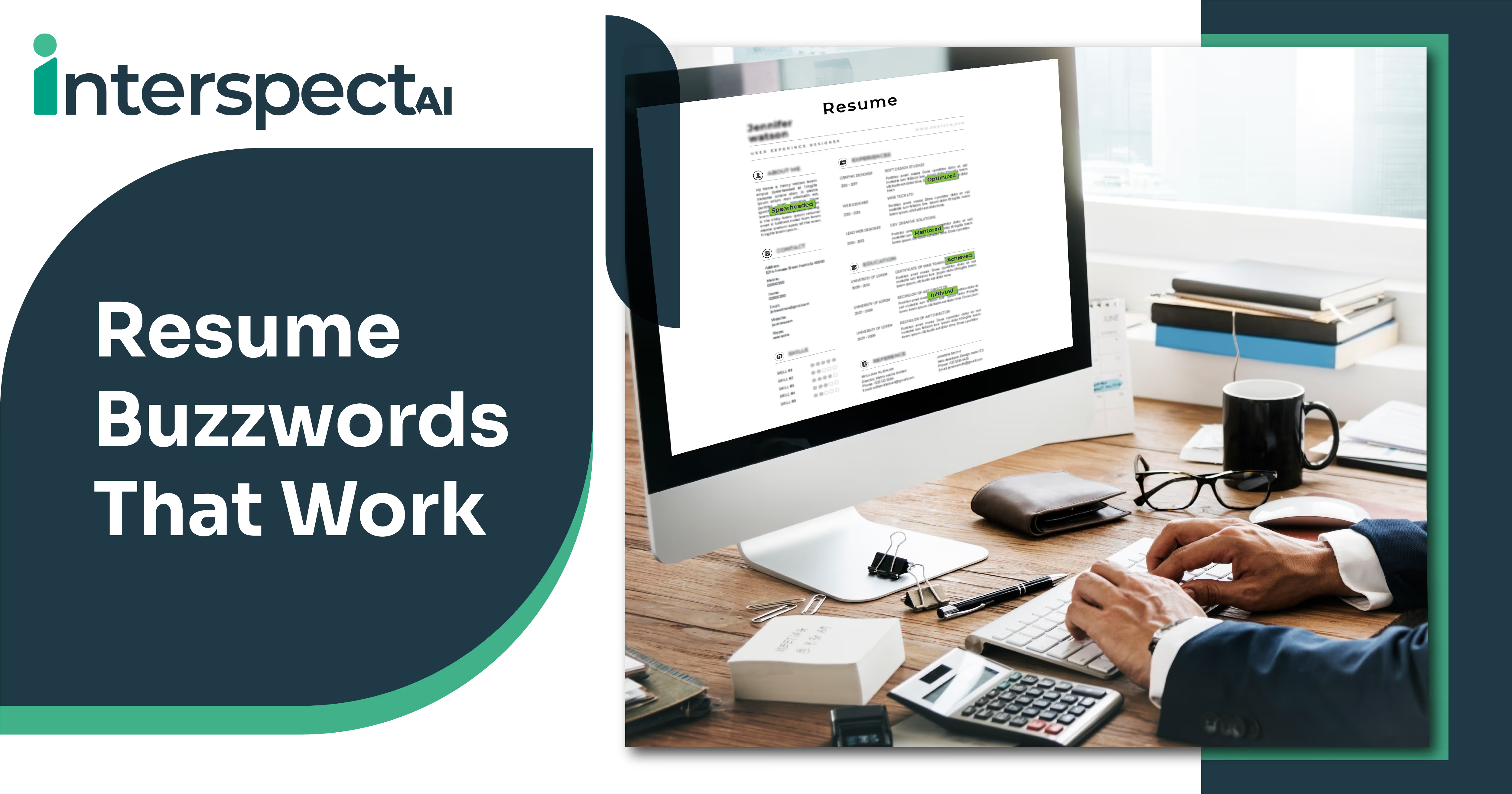
Buzzwords -action verbs like "implemented" or adjectives like "innovative" can elevate your resume from bland to alive. They catch the eye, demonstrate action, and add clarity.
Yet, not all buzzwords carry real weight. Overused clichés like "team player" or "results-driven" have become resume wallpaper - seen so often they’ve lost meaning. Recruiters often skip them, sensing filler, not substance.
Buzzwords that often cringe recruiters out
Here are some resume cliches to avoid, and why they backfire,
- “Team player,” “detail-oriented,” “results-driven,” “hardworking,” “problem solver,” “creative,” “go-getter” - These are vague and overused, which makes them forgettable at best and cringe-inducing at worst.
- “Responsible for,” “proven track record,” “strong work ethic” - Empty fluff. Saying you’re responsible or ethical is less impactful than showing what you achieved.
- “Hard worker,” “self-motivated,” “born leader,” “excellent communication skills,” “detail-oriented” - All common in job-seeker soundbites, but rarely backed with concrete evidence.
One recruiter on Reddit put it bluntly:
"Do you think using terms like 'detail-oriented', 'driven', or 'highly motivated' are gonna cut it? Absolutely not."
Instead, they want real data - years of experience, industries, measurable impact.
Use buzzwords wisely by being impactful and not generic
Here’s what works and how to use it right.
1. Opt for Strong Action Verbs
Choose verbs like "achieved," "managed," "implemented," "spearheaded," "optimized," "resolved" - they frame you as someone who does, not just is.
2. Quantify Your Impact
Replace vague claims with measurable outcomes:
- Instead of "improved sales," say “increased sales by 25% in Q1”.
- Swap “led a team” with “managed a team of 8 to deliver a project two weeks ahead of schedule”.
3. Tailor to Job Context
Mirror keywords from the job posting - ATS (Applicant Tracking Systems) value accuracy - but only if you can substantiate them with real examples.
4. Be Specific, Not Generic
Instead of saying you’re a "creative thinker," talk about the campaign you designed that drove 50% traffic growth.
Buzzwords that actually work when used thoughtfully
Here’s a curated list of effective buzzwords - powerful, specific, and action-focused:
- Active achievement verbs: Achieved, Initiated, Managed, Implemented, Led, Designed, Resolved, Improved, Analyzed, Developed, Spearheaded, Innovated, Negotiated, Orchestrated, Optimized, Collaborated, Mentored, Exceeded.
- Alternatives to tired adjectives: Use domain-specific, measurable language instead of fluff like “creative.” Provide outcomes.
- Industry-specific terms (when real):
- Marketing: SEO, Omnichannel marketing, SERP, AI, Customer journey.
- Project Management: Risk management, Cost management, Gantt chart, Process improvement.
- Teaching: Blended learning, Accessibility, Mastery-based grading.
Quick Table: Buzzwords to Avoid vs. Better Alternatives
Make every word earn its place!
Keep it real. Use terms you can back up - false claims risk credibility.
Mix sentence length for flow. Start with a short punch, then expand with context.
Use transition words like “however,” “meanwhile,” “in short,” to guide the reader.
Focus on achievements, not adjectives. Every bullet should show what and how you did something.
Buzzwords aren't inherently bad - misused ones are. Avoid the clichés that blur into the background. Instead, choose words that show, not tell. Quantify impact. Tailor each resume. That’s how your resume becomes memorable, not just legal-sized.
Your resume gets you noticed, but your interview seals the deal. Practice smarter with SpectraSeek, the AI tool that helps you refine answers and leave clichés behind!
Subscribe to The InterspectAI Blog